Adding a Device
To add a device:
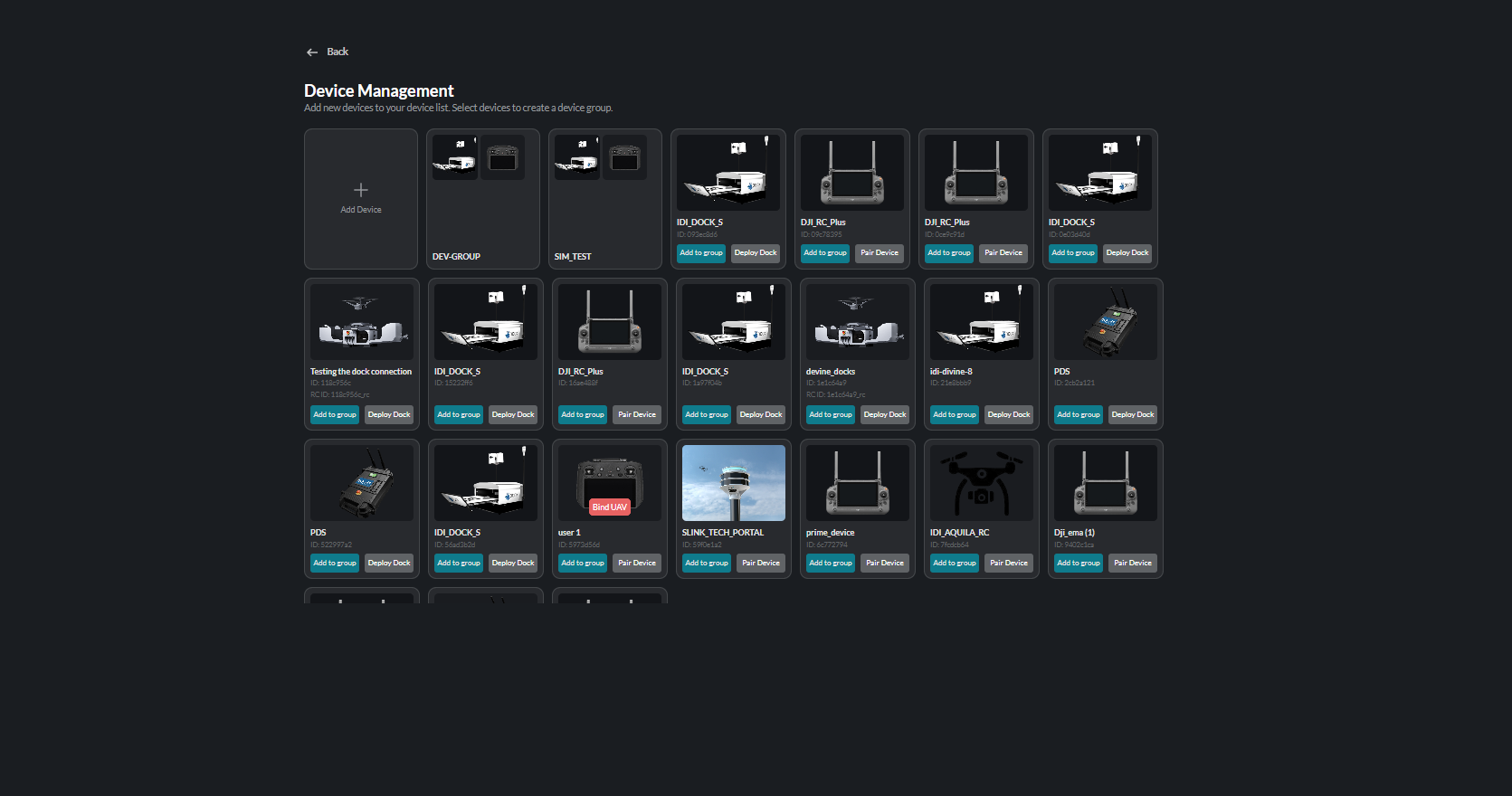
- Open Device Management.
- Click the Add Device tile.
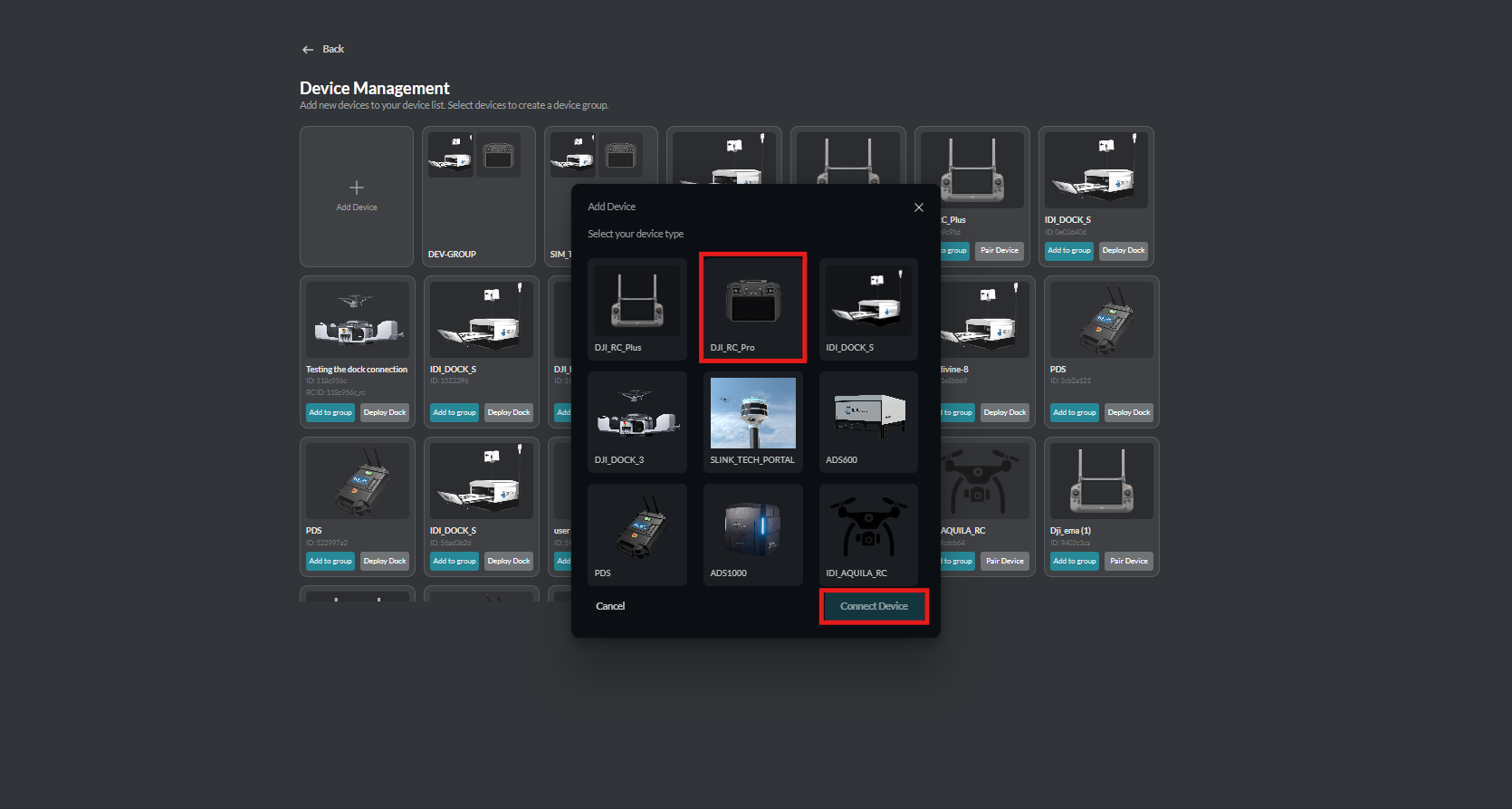
- The Device Selection window displays the available device types.
- Select the device you want to add.
- Click Connect Device to continue.
The Device Management board lists all registered devices:
When you click Add Device, the Device Selection window opens so you can choose the device type to connect:
The selected device is then added to the Device Management board.