Audit Log
The Audit Log provides a complete history of actions performed on platform resources. It records important operational events, allowing administrators to review changes, investigate issues, and maintain accountability across the organization.
The audit log is append-only, meaning events cannot be modified or deleted after they have been recorded.
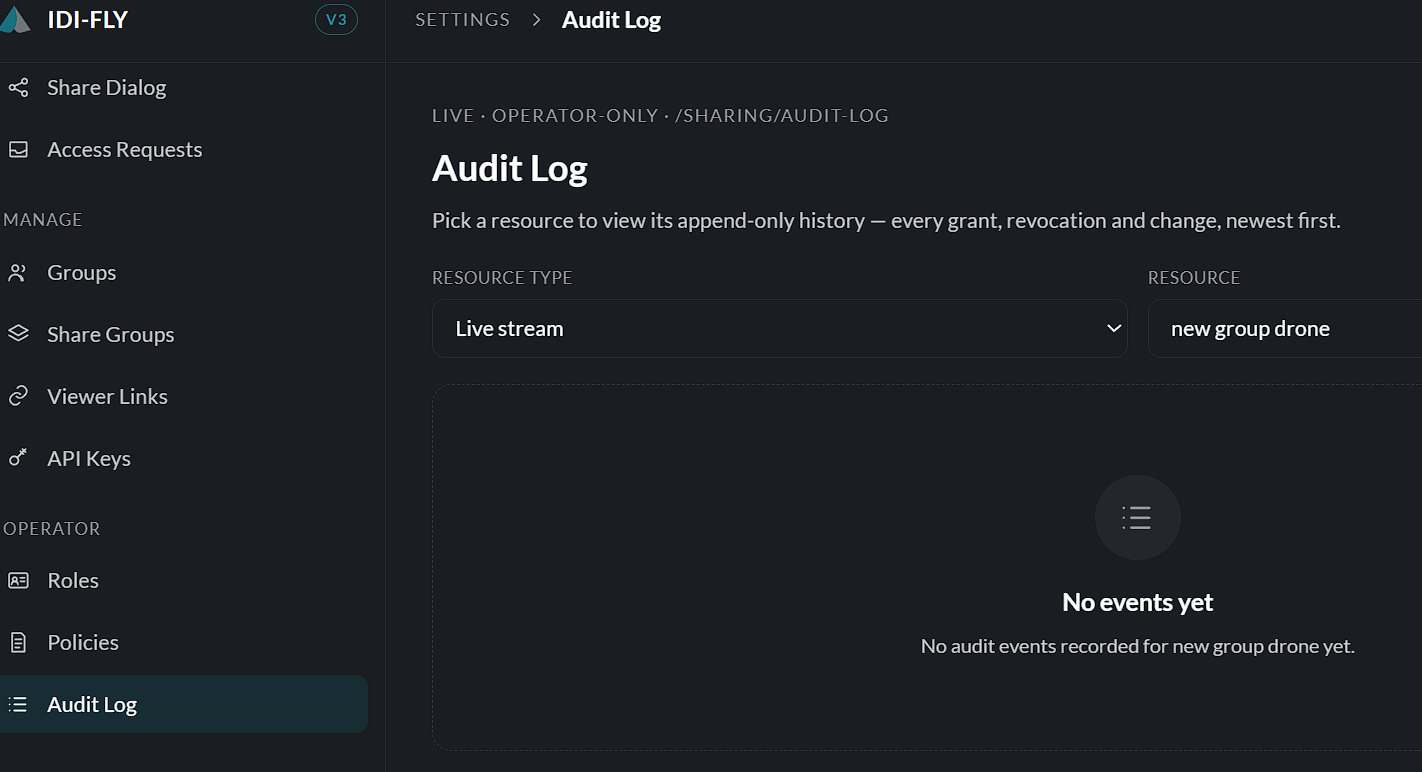
Viewing the Audit Log
Navigate to:
Settings → Audit Log
The page allows administrators to search and review recorded events for supported resources.
Filtering Audit Events
To locate specific events:
-
Select a Resource Type from the dropdown list.
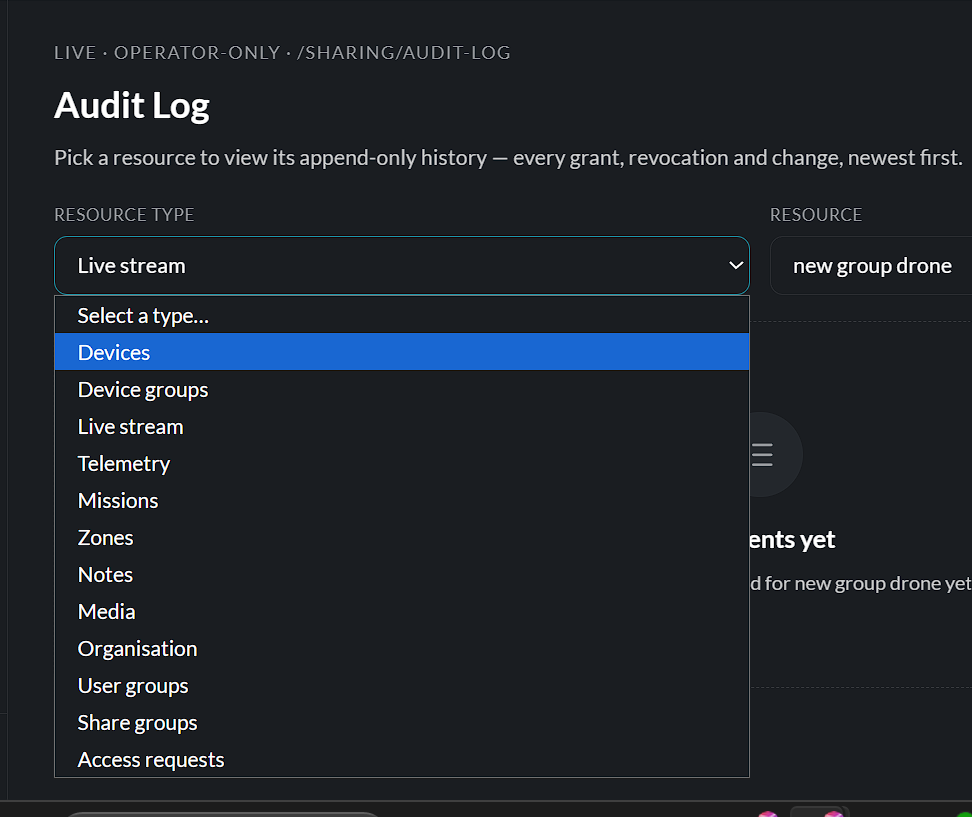
-
Select the specific Resource you want to inspect.
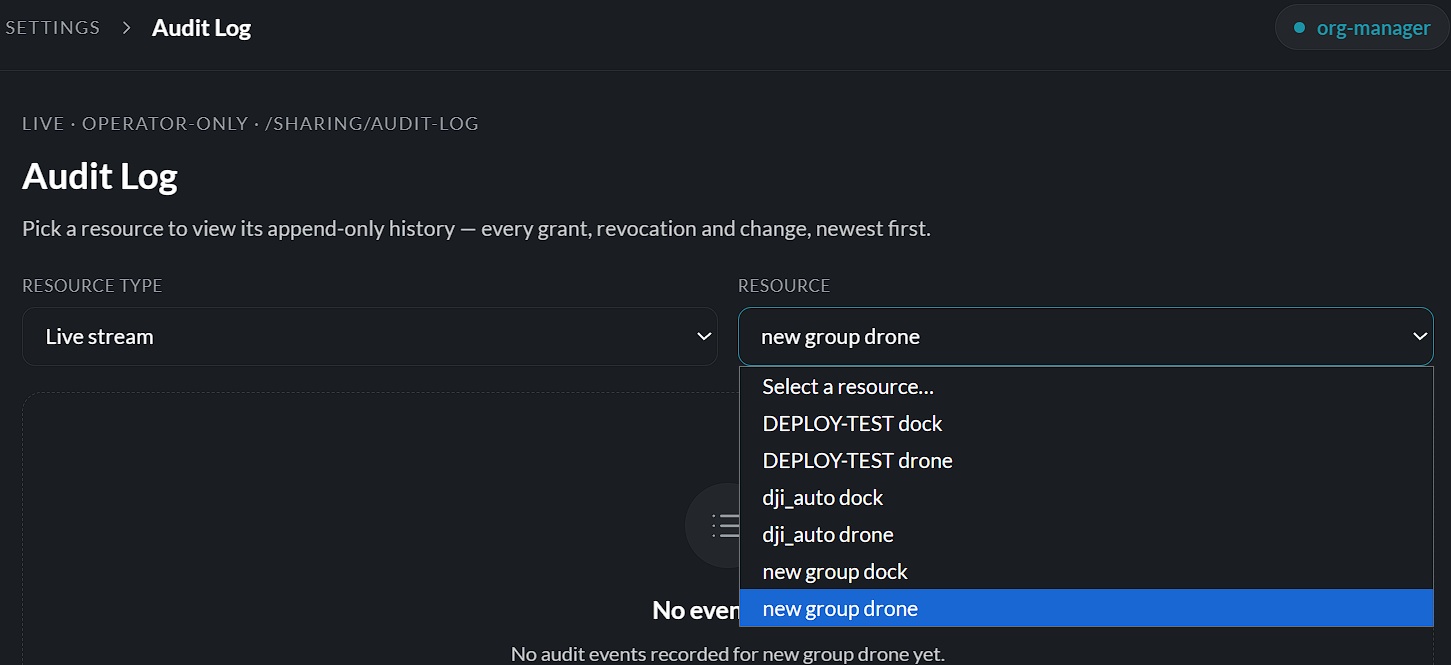
The audit log then displays the recorded history for that resource, with the most recent events shown first.
Recorded Events
Depending on the resource, the audit log may include events such as:
- Resource creation
- Configuration changes
- Permission updates
- Resource sharing
- Access revocations
- Mission updates
- Device assignments
- User management actions
Each event provides a timestamp and details of the action that was performed.
Empty Audit History
If no events have been recorded for the selected resource, the page displays a message indicating that no audit events are available.
As activity occurs, new events are automatically added to the log.
Benefits of the Audit Log
The Audit Log helps organizations to:
- Monitor administrative activity.
- Review configuration changes.
- Investigate operational issues.
- Track permission and sharing updates.
- Maintain accountability for actions performed across the platform.
Note: Audit Log entries are generated automatically by the platform and cannot be edited or removed by users, ensuring an accurate and reliable history of system activity.
View a history of user activities and system events for auditing and compliance purposes. (Available when enabled.)